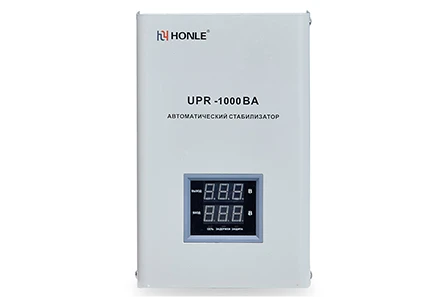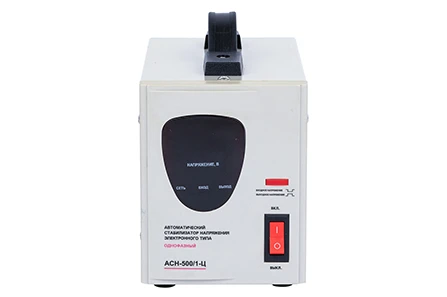

Why Is Your Automatic Voltage Stabilizer Overheating? Common Causes and Fixes

 Site Editor
You notice it first as warmth radiating from the casing. Then the unit feels too hot to touch. Sometimes there is a faint smell—like burning plastic or overheated electronics. If any of this sounds familiar, your automatic voltage stabilizer is telling you something is wrong.
A warm body is normal during operation. But when heat builds beyond reasonable levels, it is not just uncomfortable—it is dangerous. Overheating is one of the most frequent issues with voltage stabilizers. It accelerates component degradation, triggers thermal shutdowns, and can permanently damage both the stabilizer and the equipment it is supposed to protect. The damage from overheating is cumulative and irreversible.
The good news? Most overheating problems are preventable and fixable. Here is what causes an automatic voltage stabilizer to overheat—and what you can do about it.
Overloading the Stabilizer Beyond Its Rated Capacity
This is the number one reason stabilizers overheat. Every automatic voltage stabilizer has a rated capacity—measured in VA or KVA. When you connect appliances that draw more current than the unit is designed to handle, internal components work far harder than they should. Transformers strain, circuits struggle, and heat builds up fast.
How to fix it: Start by calculating the total load of all equipment connected to your stabilizer. Add up the wattage of every appliance, then compare it to your unit's rated capacity. If the load exceeds 80% of the rated capacity on a continuous basis, you are pushing the unit too hard. Either reduce the load by disconnecting non-essential equipment, or upgrade to a higher-capacity automatic voltage stabilizer.
Poor Ventilation and Restricted Airflow
Voltage stabilizers generate heat as a natural byproduct of voltage regulation. That heat needs somewhere to go. When you place the unit in a tight corner, stack items on top of it, or install it inside a closed cabinet with no airflow, heat gets trapped. Temperatures rise, components degrade faster, and the risk of thermal shutdown increases dramatically.
How to fix it: Relocate your stabilizer to an open, well-ventilated area. Leave at least 15–20 centimeters of clearance on all sides—especially the top and rear where ventilation grilles are typically located. Keep the unit away from direct sunlight, heat sources, and anything that might block airflow. If the unit has built-in cooling fans, make sure they are not obstructed.
Fan Failure or Inadequate Cooling
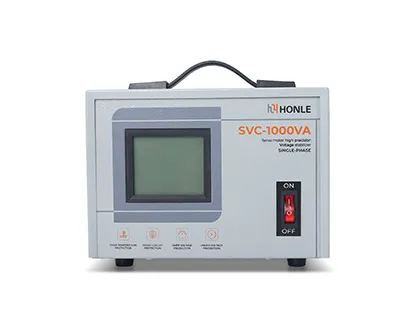
Many automatic voltage stabilizers—particularly higher-capacity models—rely on internal cooling fans to dissipate heat. When a fan fails, the unit loses its primary heat removal mechanism. Temperatures climb quickly, and the stabilizer may shut down to protect itself.
How to fix it: Listen for the fan when the unit is running. No sound when there should be? That is a red flag. Inspect the fan for dust buildup or physical obstruction. If the fan is dead, it needs replacement. For units without fans, consider whether the ambient temperature in your installation space is simply too high for passive cooling to be effective.
Carbon Brush Wear (Servo-Type Stabilizers)
If you use a servo motor automatic voltage stabilizer, carbon brushes are a critical wear component. These brushes make contact with the transformer windings to adjust voltage. As they wear down, contact resistance increases. Higher resistance means more heat—and that heat can cause voltage regulation errors and further damage.
How to fix it: Inspect carbon brushes regularly. When wear exceeds approximately 80%, replacement becomes necessary. This is routine maintenance, not a defect. Keep spare brushes on hand and follow the manufacturer's recommended replacement schedule.
Loose or Poor Electrical Connections
Loose wiring is a surprisingly common overheating trigger. When connections are not tight, electrical resistance increases at the contact point. That resistance generates localized heat—sometimes enough to melt insulation or produce a faint rubbery smell. Over time, loose connections can damage the unit and create fire hazards.
How to fix it: With the power turned off, check all input and output cable connections. Tighten any loose terminals. Inspect for signs of discoloration or burning around connection points, which indicate past overheating. If you find damaged wiring or terminals, have them replaced by a qualified technician.
High Ambient Temperature or Poor Installation Environment
Sometimes the problem is not the stabilizer—it is where you put it. Installing an automatic voltage stabilizer in a hot room, near industrial equipment that radiates heat, or in an unventilated enclosure can push internal temperatures beyond safe limits. High ambient temperature reduces the unit's ability to shed heat, making overheating almost inevitable.
How to fix it: Measure the ambient temperature around your stabilizer during peak operating hours. If it exceeds the manufacturer's specified operating range (typically 0–40°C for most units), you need to improve the environment. Add ventilation, install a cooling fan in the room, or relocate the unit to a cooler space.
What to Do When Overheating Happens
If your automatic voltage stabilizer is already overheating—too hot to touch, emitting a burning smell, or repeatedly shutting down—take action immediately.
Turn off the unit and disconnect it from the power supply. Safety first.Let it cool down completely before inspecting or attempting any fixes.Check for obvious causes: Is the load too high? Is ventilation blocked? Is the fan working?If the unit has a thermal overload protection feature, it may have shut down automatically to prevent damage. Once you address the underlying cause, reset the unit according to the manufacturer's instructions.If you cannot identify the cause or the problem persists, contact a qualified technician. Never attempt internal repairs yourself unless you are trained to do so.
Keep Your Automatic Voltage Stabilizer Running Cool
The best fix is prevention. Here is how to keep your automatic voltage stabilizer from overheating in the first place:
Size it right – Choose a unit with adequate capacity for your load, plus a safety margin. Undersizing is the fastest route to overheating.Install it properly – Give it room to breathe. Good cooling systems prevent overheating and ensure reliability.Inspect regularly – Check carbon brushes (for servo types), clean dust from ventilation grilles, and verify that fans are operational.Monitor the environment – Keep ambient temperatures within the specified range. Heat is cumulative—every degree matters.
Summary
Overheating is one of the most common—and most preventable—issues with any automatic voltage stabilizer. Whether the cause is overload, poor ventilation, fan failure, worn brushes, or loose connections, the solution usually comes down to proper sizing, correct installation, and routine maintenance.
What to take away:
- Overloading is the leading cause—calculate your load and leave a safety margin
- Ventilation matters—give your stabilizer space to breathe
- Fans and carbon brushes are wear items—inspect and replace as needed
- Loose connections generate heat—tighten terminals and check regularly
- If overheating persists, stop using the unit and call a professional
Have a specific application or power concern in mind?
Whether you are protecting household appliances or industrial equipment, we can help you select the right automatic voltage stabilizer for your needs—and show you how to keep it running safely for years. Contact our team to discuss your voltage requirements, load capacity, and installation environment.